Fogsea · Jira Cloud app
VersionSelect
Select services and versions from your catalog directly in Jira work items.
VersionSelect gives teams one searchable Service & Version field for recording the software components relevant to a work item. Administrators maintain the catalog manually or connect an organization-approved HTTPS API.
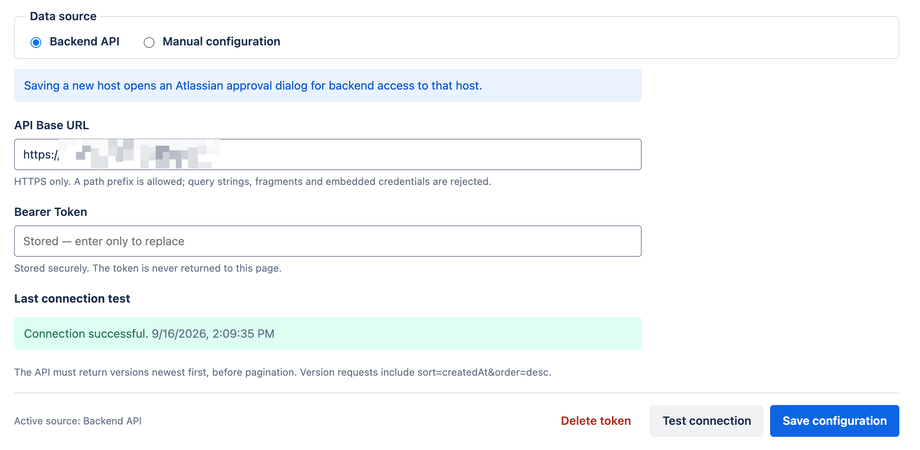
Manual catalogs remain available without an active app license. Backend API integration requires an active subscription or evaluation.

What VersionSelect helps you do
Choose the right service and version
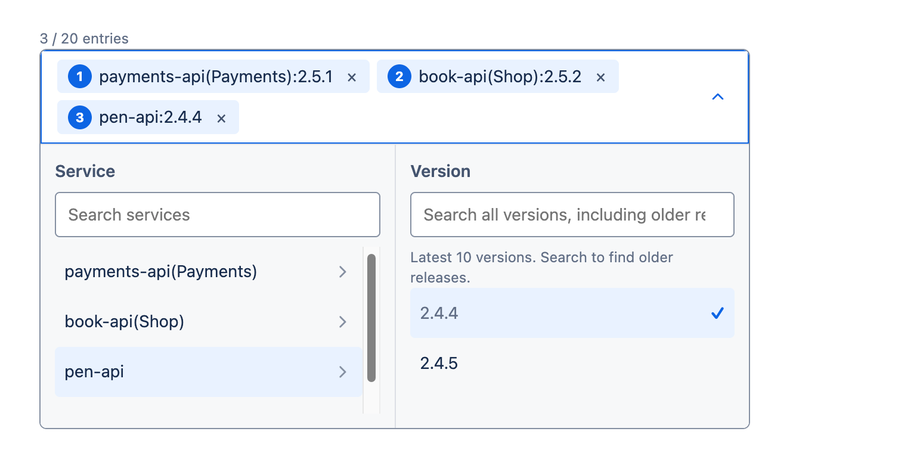
Search services and their versions, distinguish similarly named services with optional groups, and record multiple ordered pairs in one field.
Use a manual catalog or your API
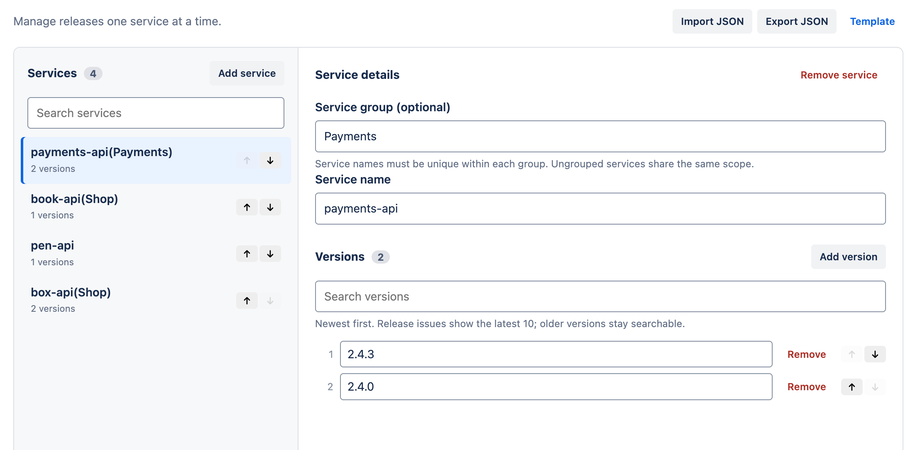
Maintain options with forms and JSON import/export, or connect an approved HTTPS catalog that implements the documented contract.
Keep readable historical context
Jira stores selected IDs and name snapshots in the field value, so existing work items remain readable when the active catalog changes.
Service and version selection in Jira
Product screenshots
Verified release screenshots use synthetic data and exclude browser chrome, tenant details, account information, and credentials.
Designed for a focused workflow
VersionSelect supports Jira Cloud, one app-managed field, one installation-wide catalog source and selection rules. It records work-item context; it is not a deployment tracker, release orchestrator, project-permission filter, or arbitrary API connector.